little big brain
Product / Connect

Connect your tools.
One graph, kept in sync.

Sync HubSpot, Linear, SharePoint and Google Drive into one graph. Their streams map to the classes of your ontology.

[01] In the console

Pick a source and a schedule.

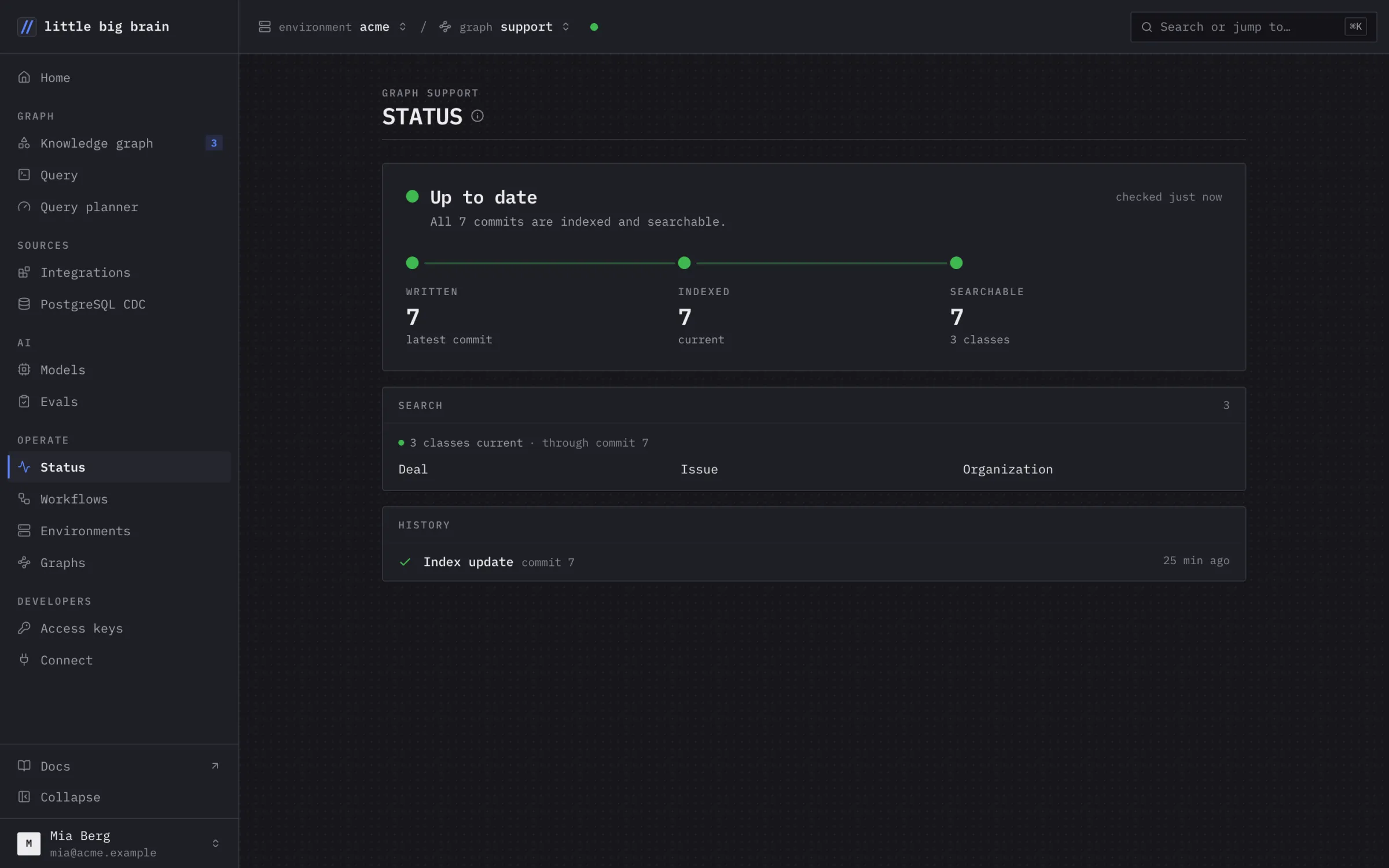
Records land as linked facts under stable keys. The console shows what a sync changed.
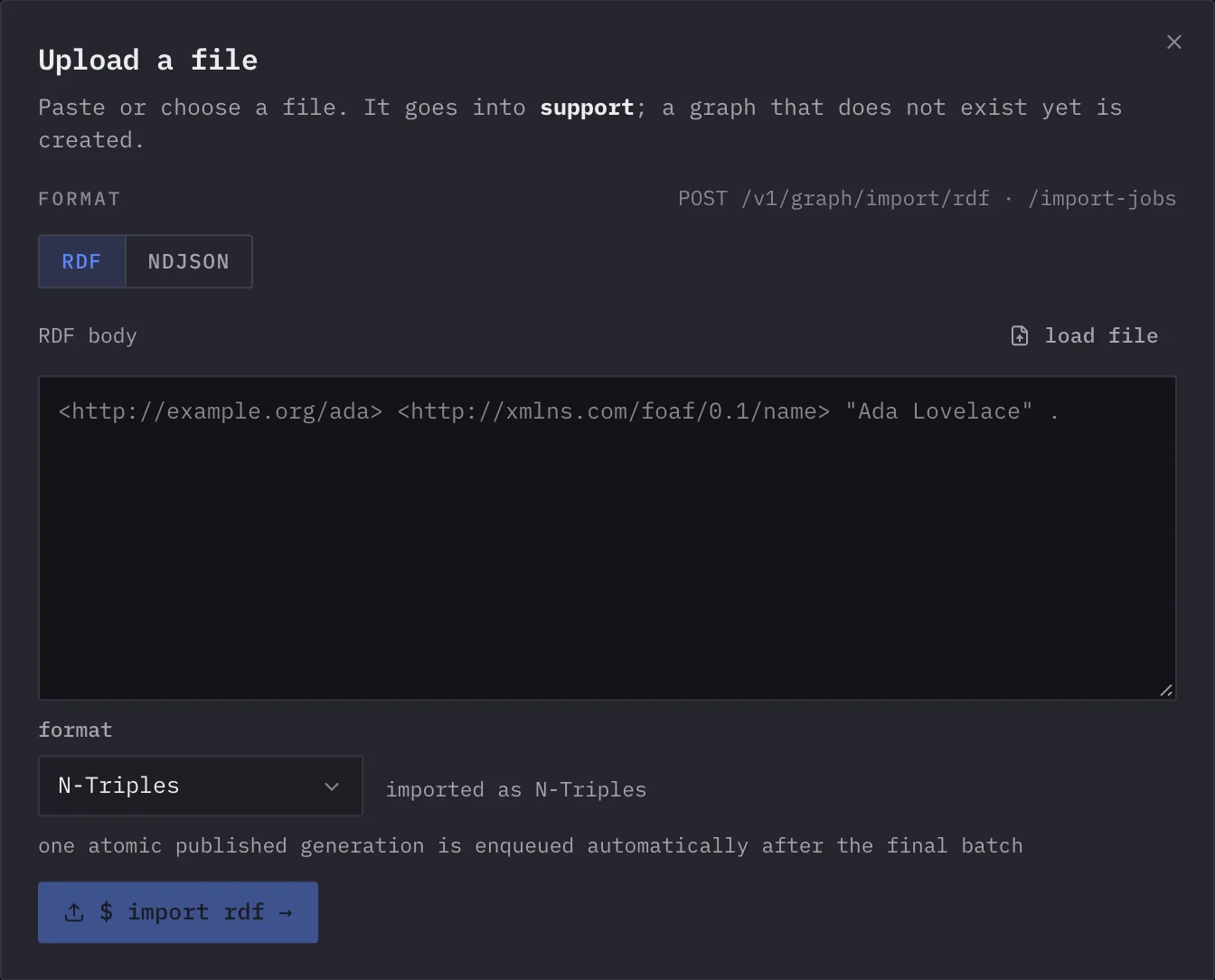
The Upload a file dialog: paste or choose RDF or NDJSON, and import it into the graphThe Upload a file dialog: paste or choose RDF or NDJSON, and import it into the graph
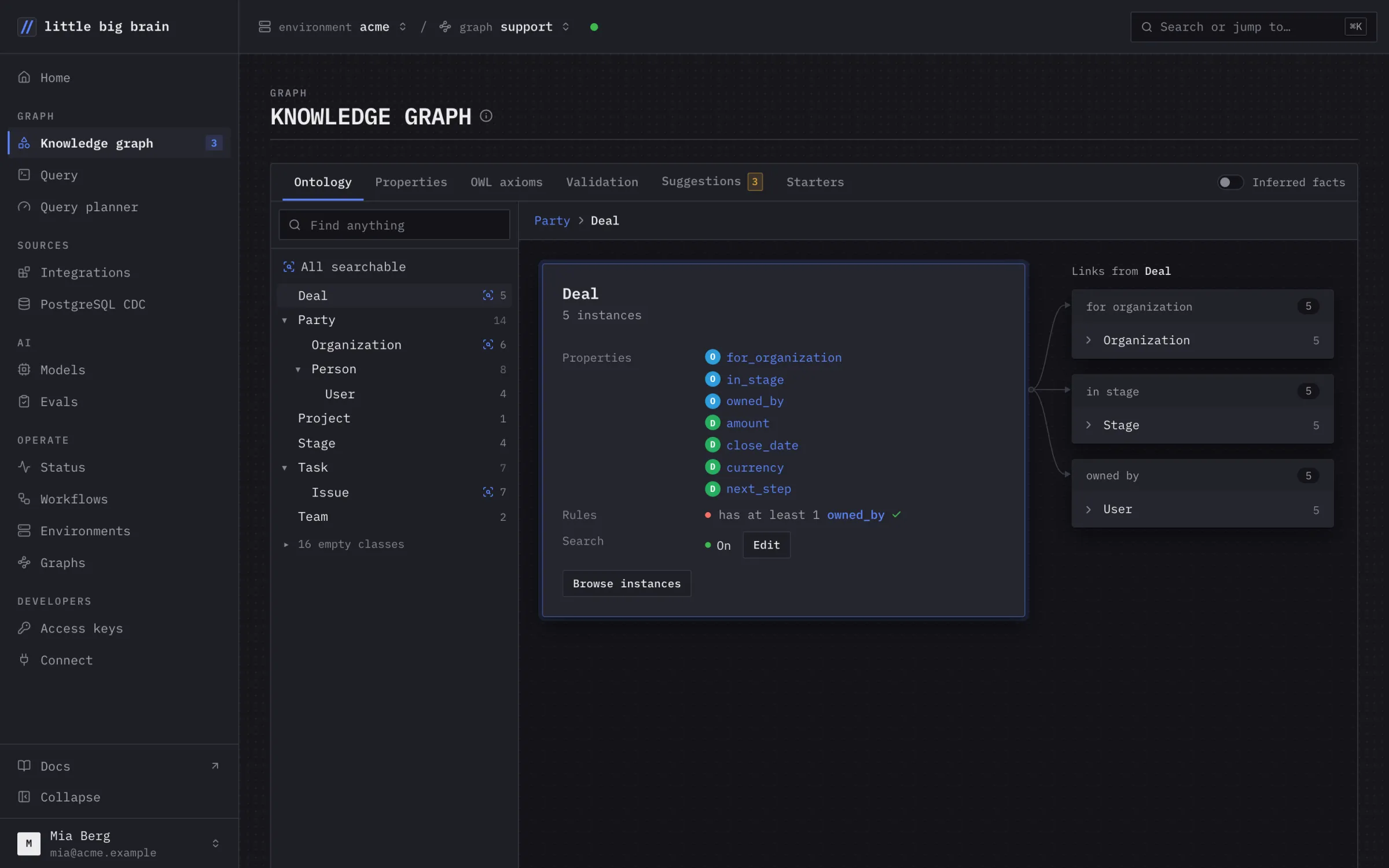
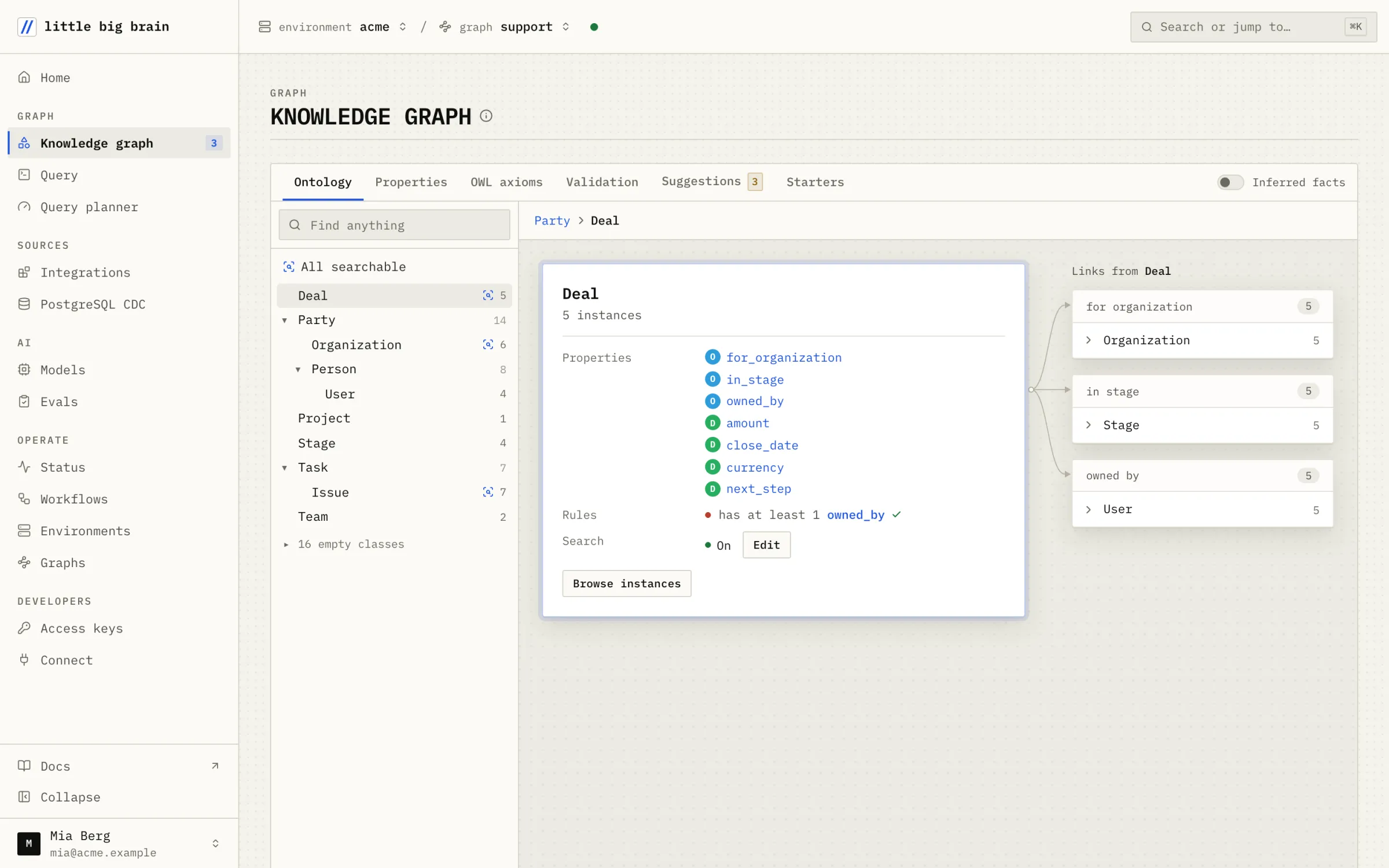
The Knowledge graph page: the Deal class with its properties and its links to Organization, Stage and UserThe Knowledge graph page: the Deal class with its properties and its links to Organization, Stage and User
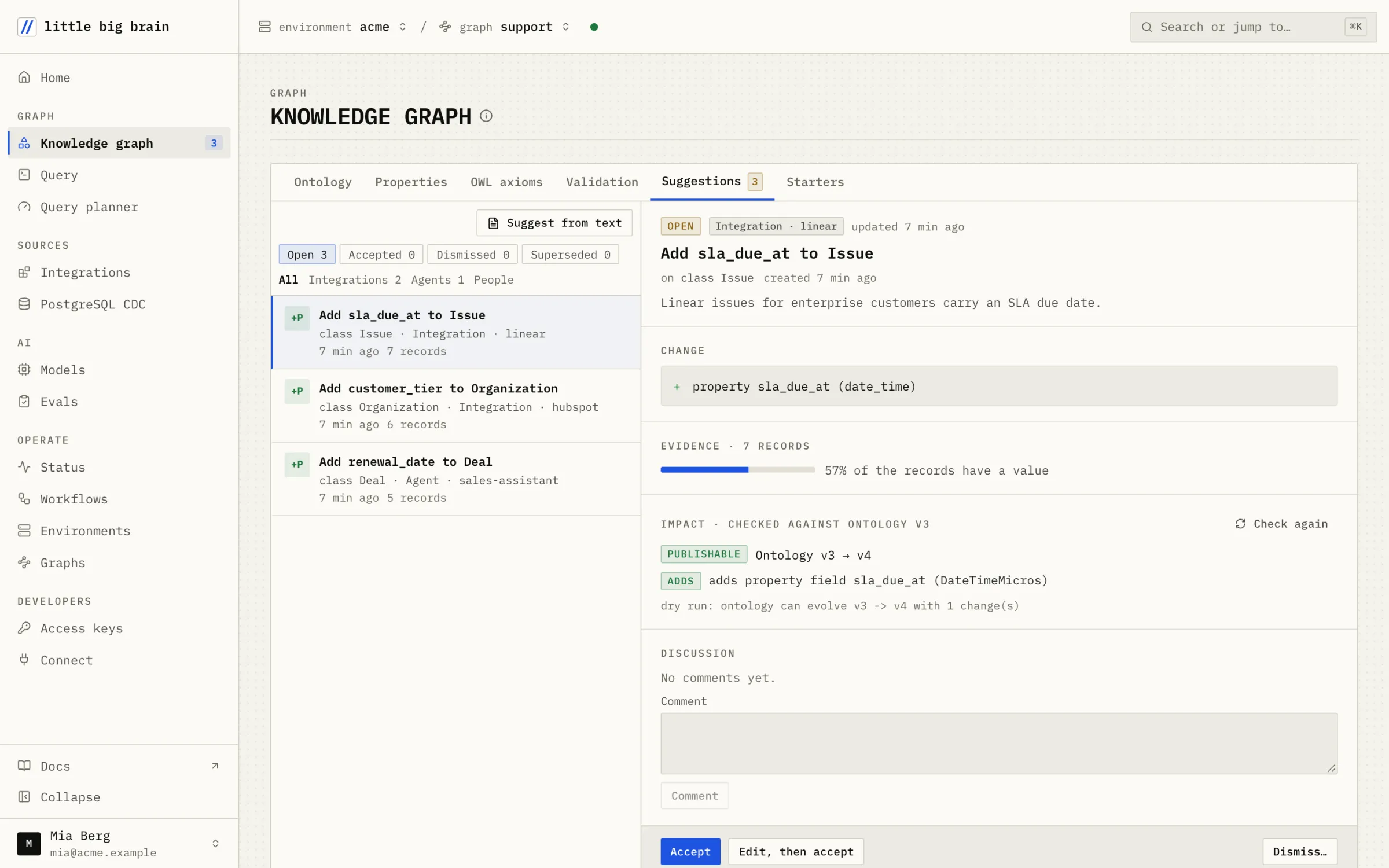
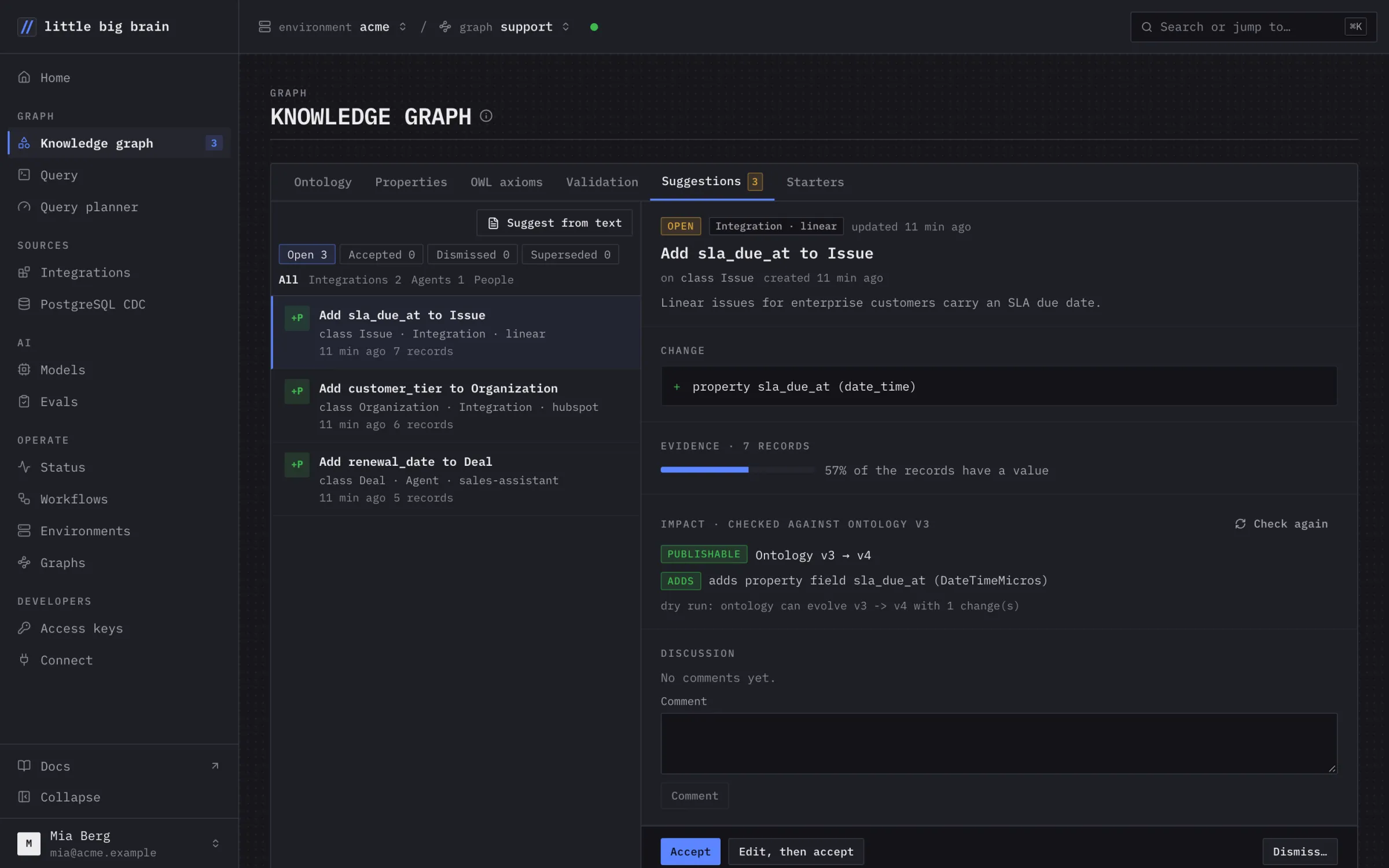
The Suggestions tab: three open suggestions from Linear, HubSpot and an agent, one opened with its evidence and impactThe Suggestions tab: three open suggestions from Linear, HubSpot and an agent, one opened with its evidence and impact
Incremental.

A sync writes only the records that changed since the last one.

Deletes follow the source.

A record deleted or archived at the source is retracted from the graph.

Record values stay in your graph.

Mapping sends only schema text and statistics to the models.
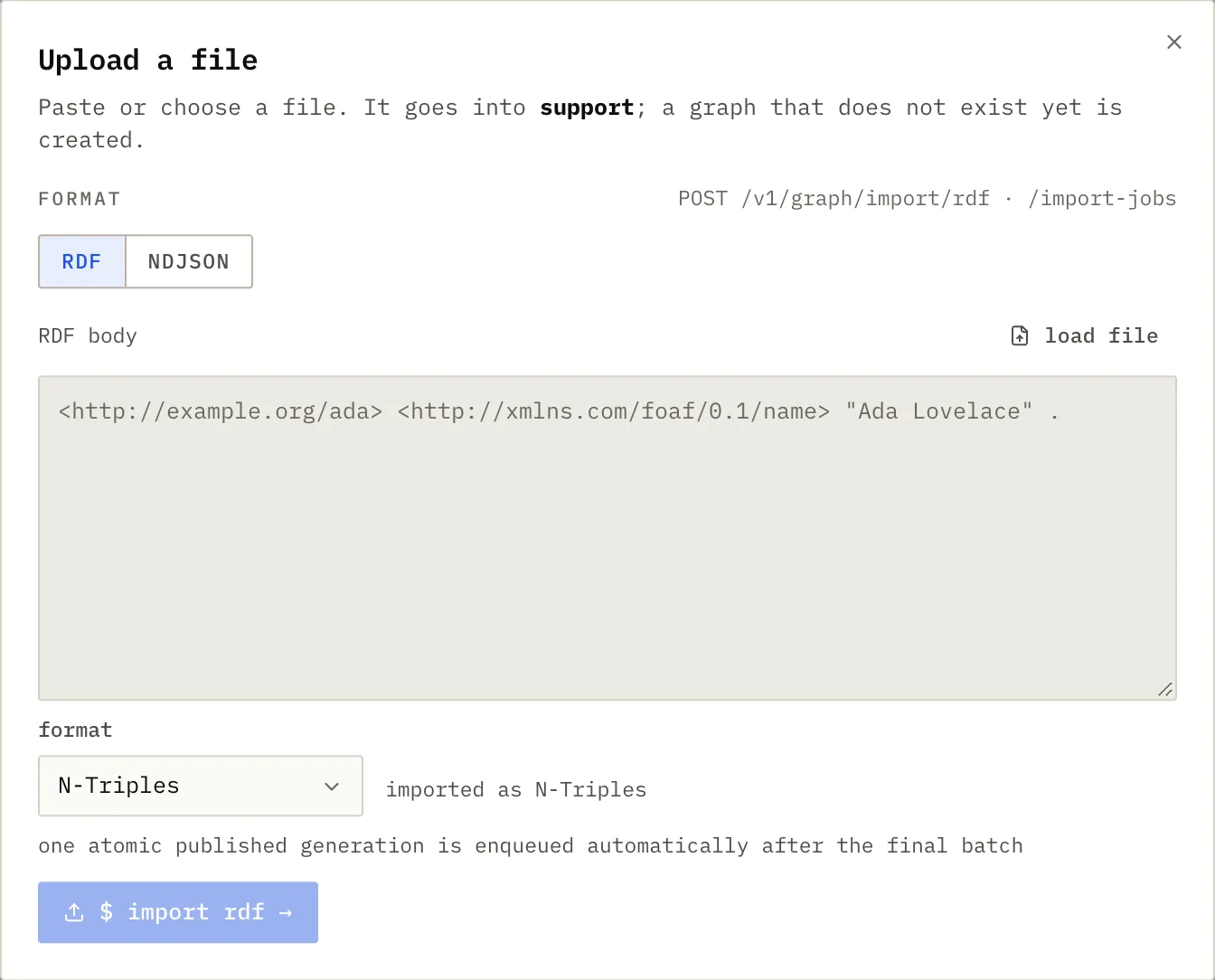
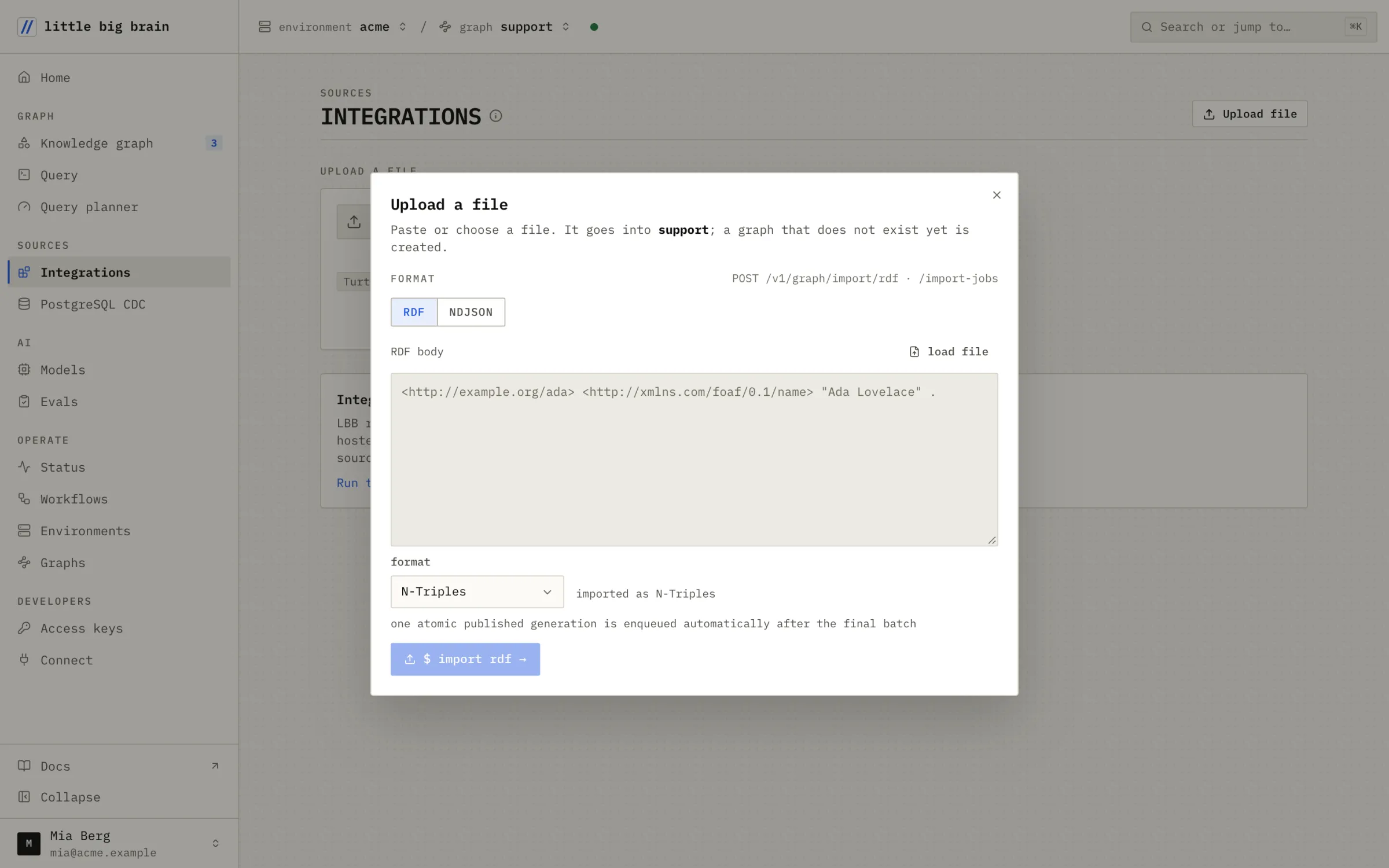
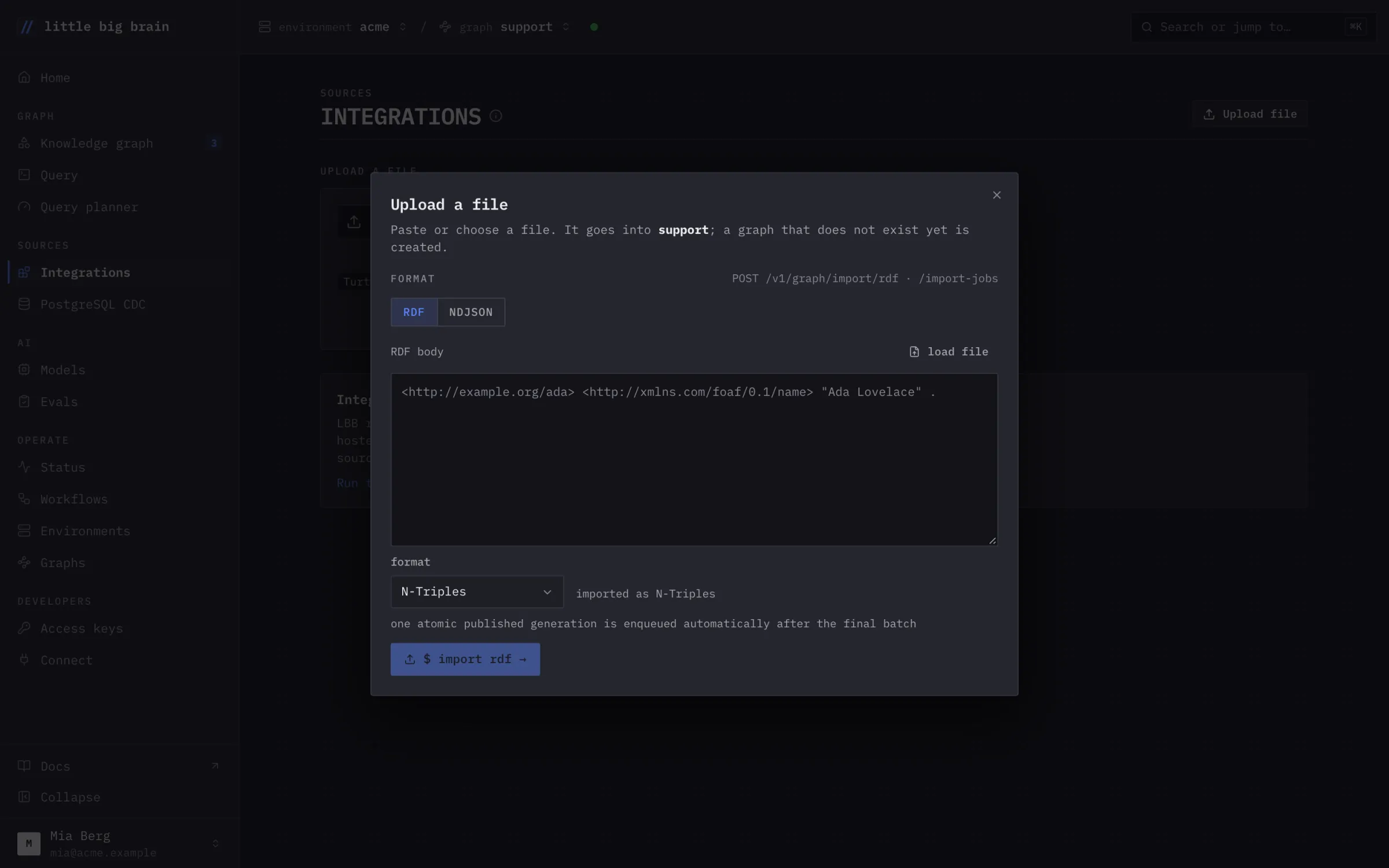
The Upload a file dialog: RDF or NDJSON, pasted or loaded from a file, imported into the graph supportThe Upload a file dialog: RDF or NDJSON, pasted or loaded from a file, imported into the graph support
Upload a file from the Integrations page.
[02] Files

Load a file in the console.
RDF or NDJSON, no connection needed.

Paste or choose a file. It goes into the graph you pick. A graph that does not exist yet is created.

  • Turtle, N-Triples or NDJSON.
  • Larger loads go through the SDKs, up to 32 GiB per job.
  • Your backend can also connect your customers' tools, one graph each.
Load data
[03] What is included

What you can connect.

Connectors read their streams page by page. A record keeps one stable key across syncs.

Linear

Teams, users, projects, issues, comments, cycles and milestones.

HubSpot

Companies, contacts, deals, owners and pipelines. Tickets are optional.

SharePoint

Documents with their text.

Google Drive

Documents with their text, and who may read them.

JSON and RDF

JSON records, NDJSON up to 32 GiB per job, Turtle or N-Triples.

Schedules

Manual, hourly, daily or every N minutes. Sync now and full resync.

[04] How it works

Three steps in the console.

Step 01

Load your data.

Upload a file, sync a source, or write records through the SDKs.

Step 02

Map it to your ontology.

A stream maps to one class. Fields that do not fit become a suggestion.
Step 03

Keep it current.

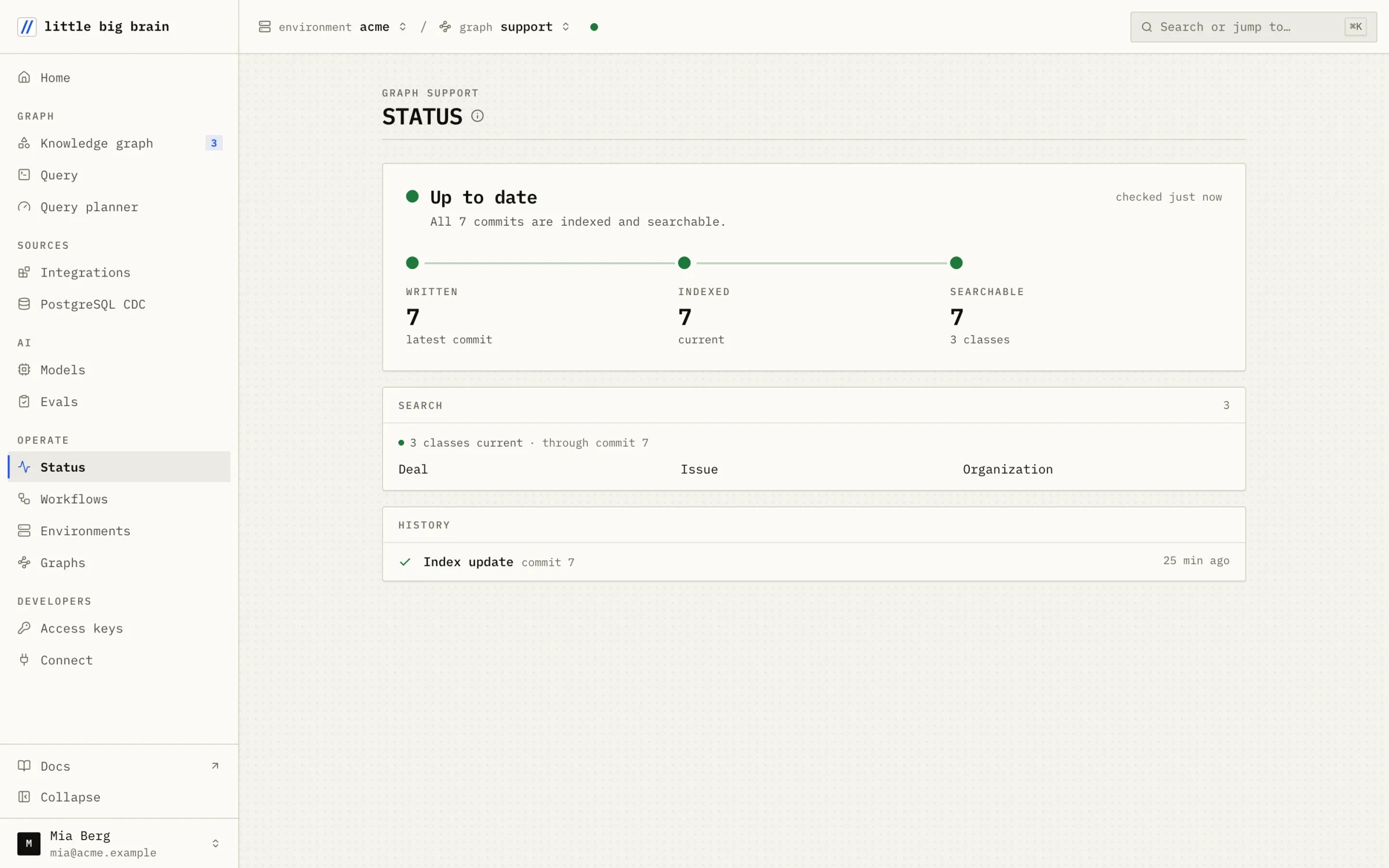
Syncs run on your schedule. The Status page shows each commit indexed and searchable.

[05] FAQ

Questions about Connect.

Which sources can I connect?

HubSpot, Linear, SharePoint and Google Drive. The SDKs also load JSON records, NDJSON and RDF.

What happens when a record changes?

The next sync writes the new version under the same key. Earlier commits stay readable.

Can two sources name the same person?

Yes. People are matched across sources by email, domain or URL. A match arrives as a suggestion to link them.

Do I need developer access for customer integrations?

Yes. We turn it on for your environment. Until then, those routes return 403.

Next step

Try it on your data.