little big brain
Solutions / Vibe coders

Add search to your app.
Ask your coding agent.

Connect our MCP server to Claude Code, Cursor or Codex. Your agent defines the classes, loads the data and adds search.

[01] In your editor

One prompt to a working search.

Your coding agent calls our MCP tools. You review the code it writes.
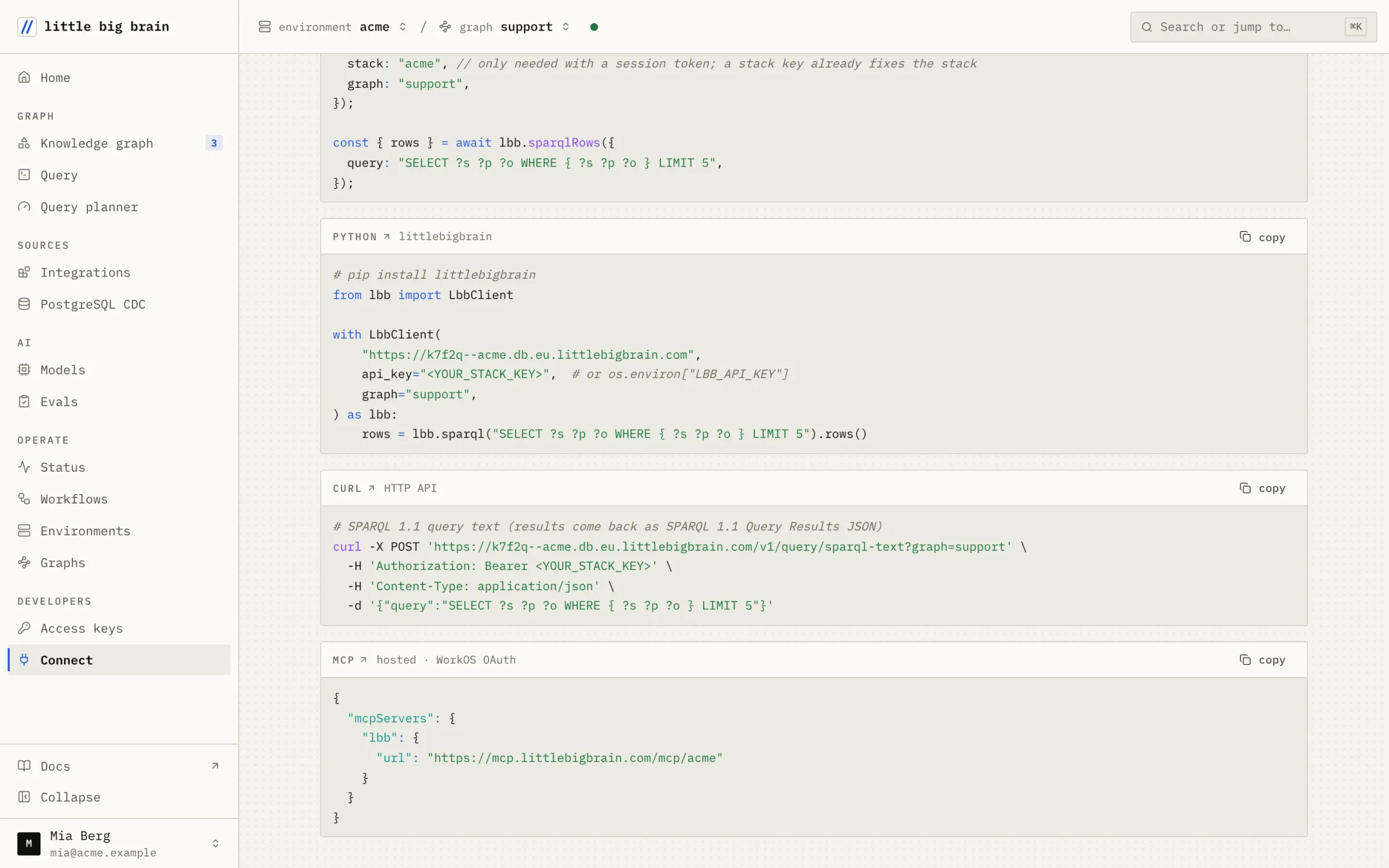
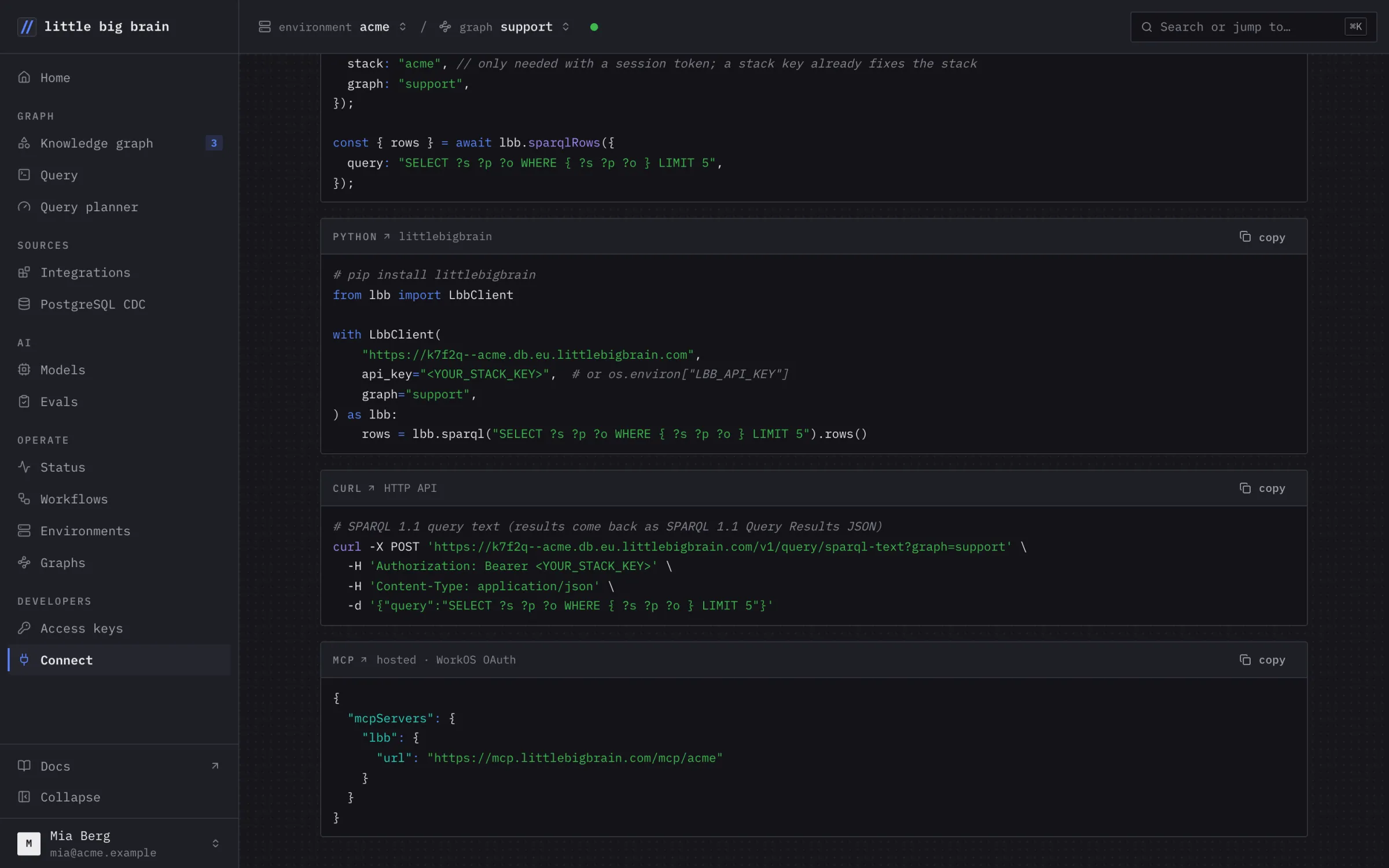
The Connect page: Python and HTTP examples and the hosted MCP configurationThe Connect page: Python and HTTP examples and the hosted MCP configuration
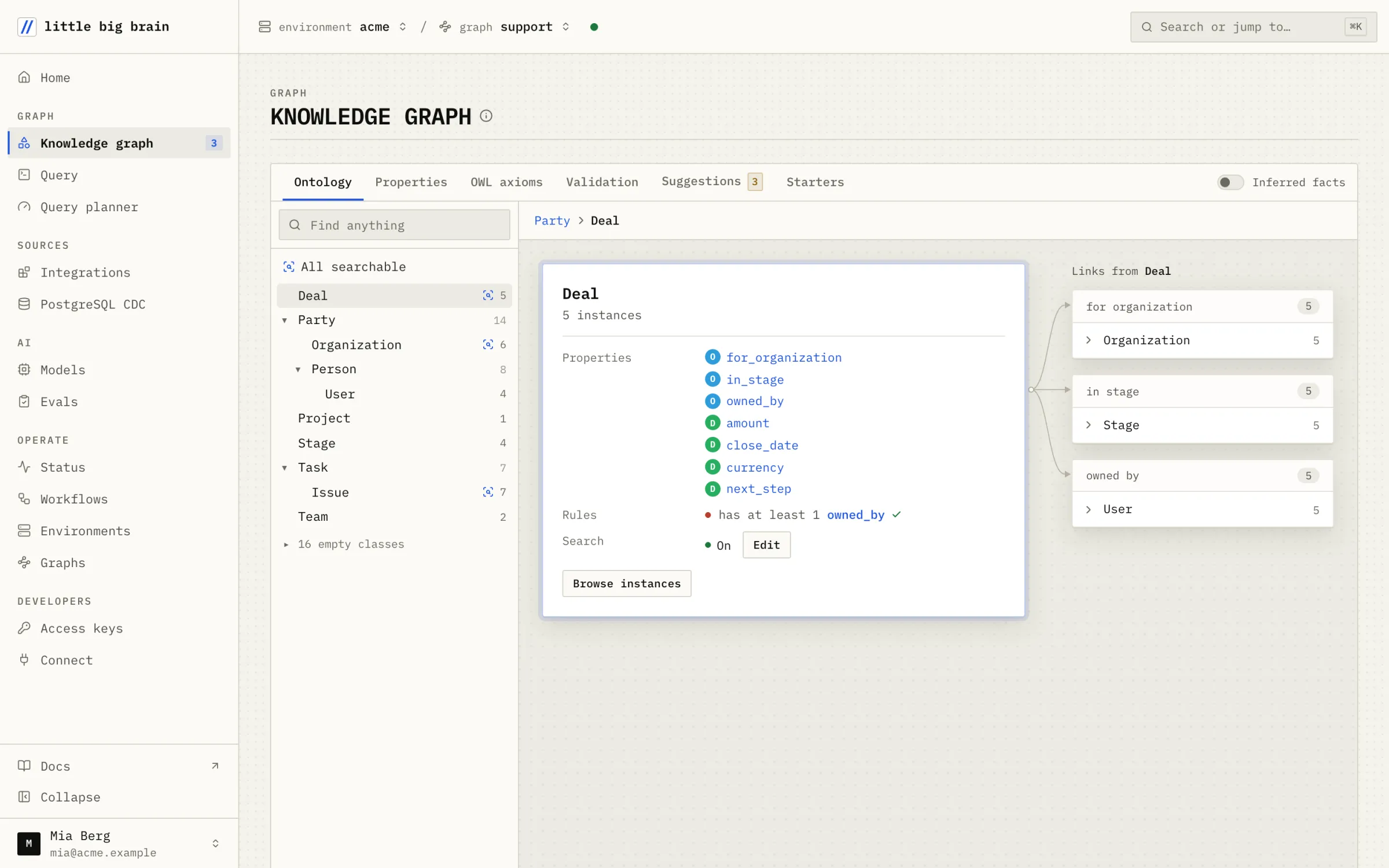
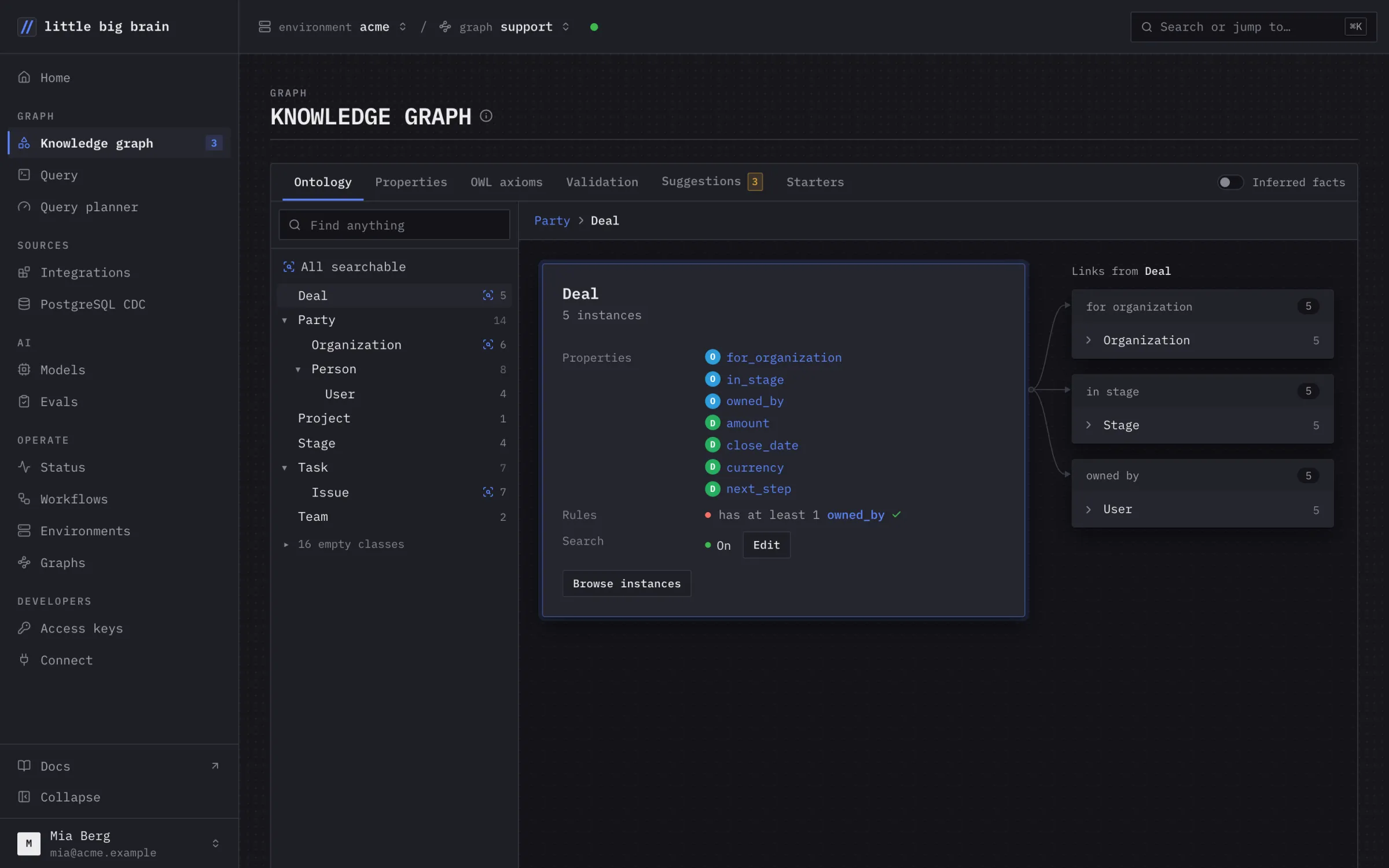
The Knowledge graph page: the Deal class with its properties and its links to Organization, Stage and UserThe Knowledge graph page: the Deal class with its properties and its links to Organization, Stage and User
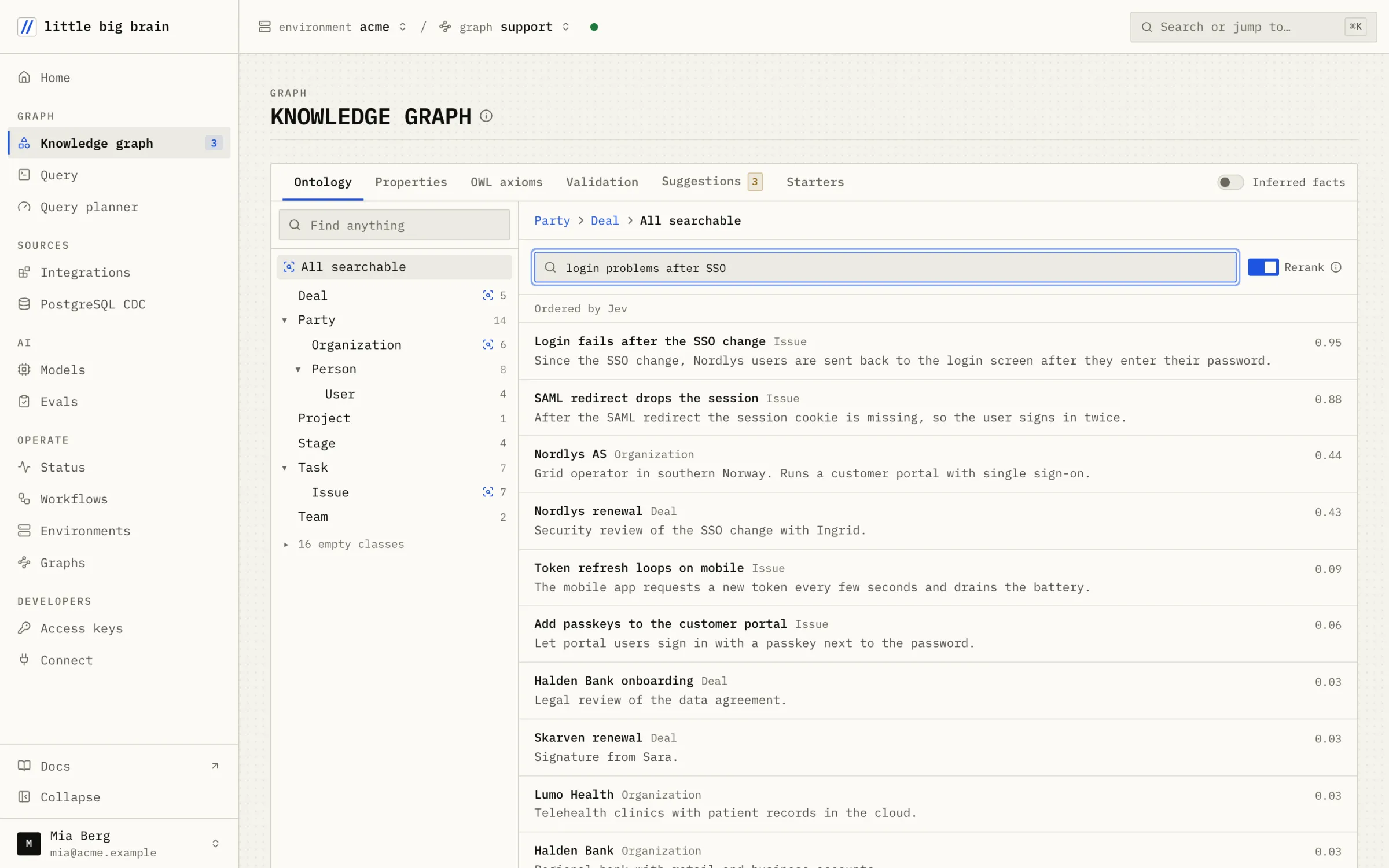
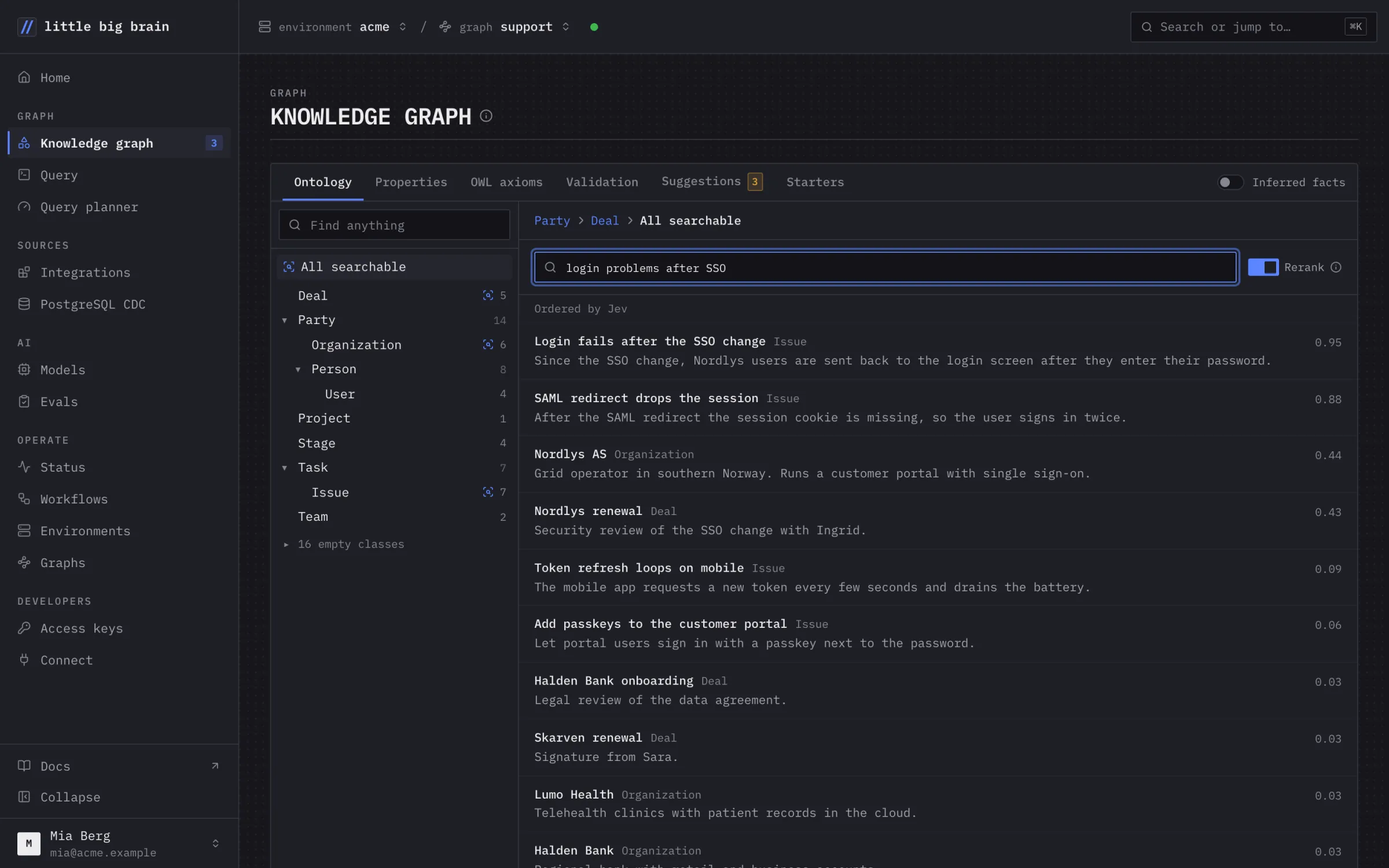
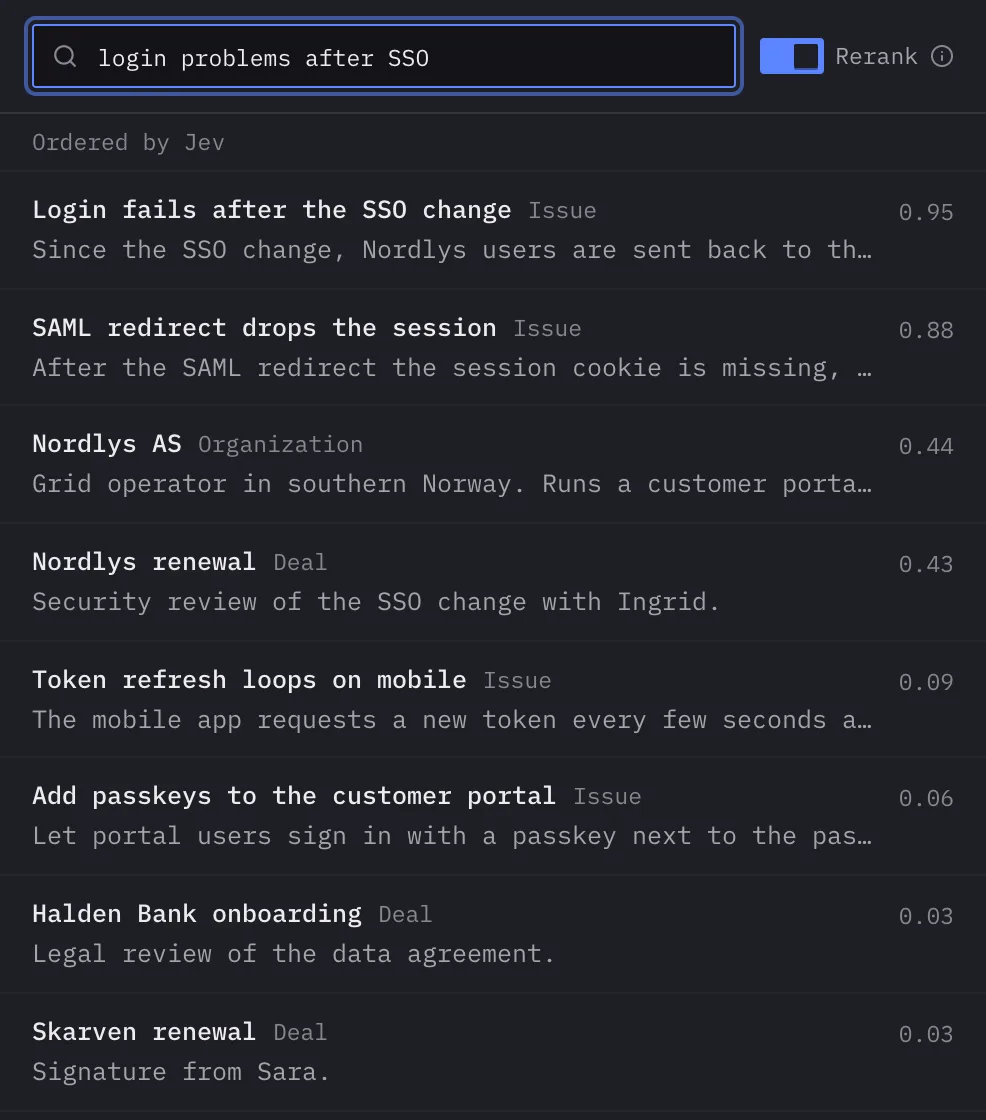
A search for login problems after SSO: issues, organizations and deals ranked by Jev, each with its scoreA search for login problems after SSO: issues, organizations and deals ranked by Jev, each with its score
Free to start.

30 GiB, no card and no trial expiry.

No vector store.

We run the embedding model and keep the vectors current.

No RDF needed.

Your agent sends JSON records. The SDKs return JSON.
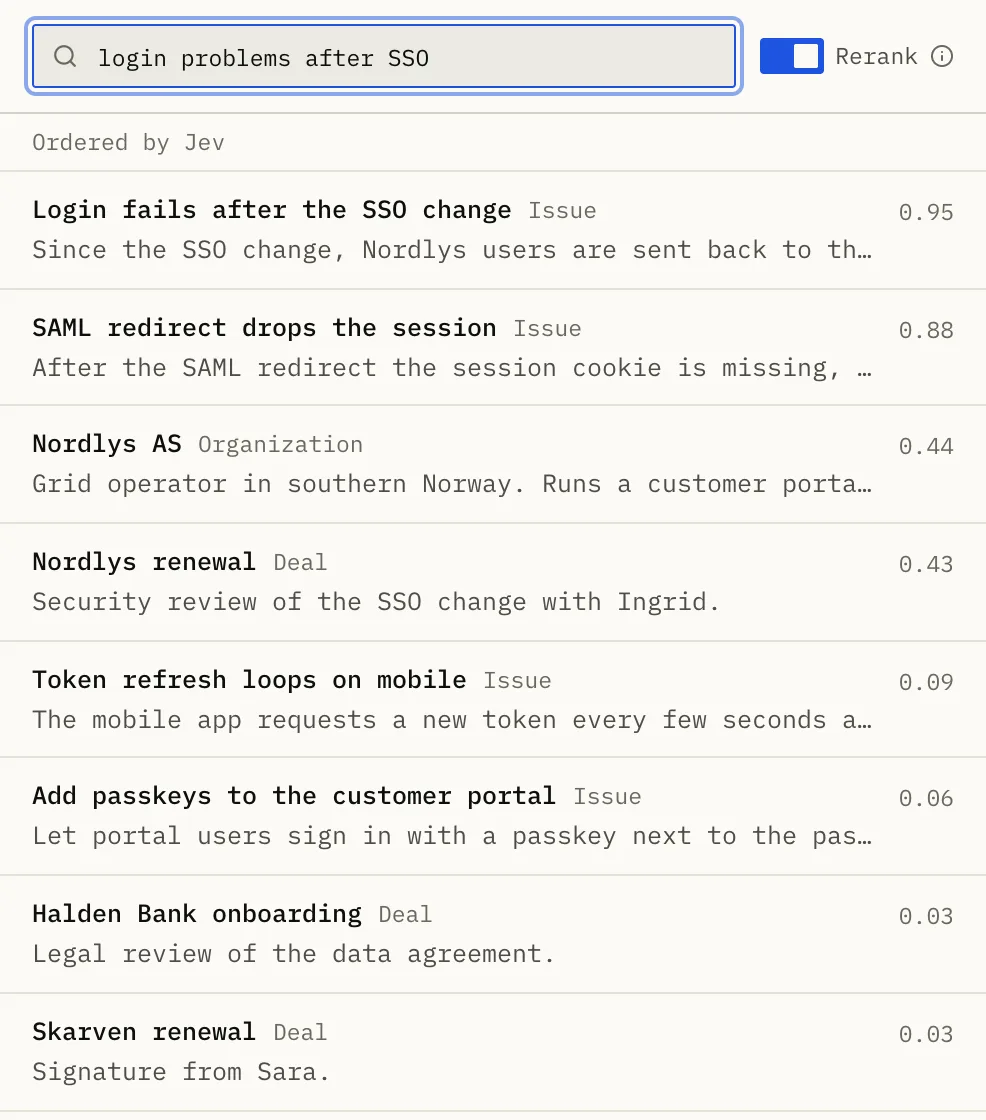
Search results for login problems after SSO, ranked by Jev with scoresSearch results for login problems after SSO, ranked by Jev with scores
Hits for “login problems after SSO”, ranked by Jev.
[02] Loading data

Your records, searchable by meaning.

Your agent loads JSON records and declares what to embed. We run the model and embed new and changed records.

  • Search by meaning is included on Free.
  • Filter hits by class and by link.
  • Need more structure later? Apply an ontology starter.
Read the quickstart
[03] What is included

What you get on Free.

Move to Cloud when you need more.

Free

30 GiB for data, indexes and history.

MCP

Local with npx, or hosted with OAuth sign-in.

Connect

The console page with your endpoint and API keys.

embeddings.search

Search by meaning from your code in one call.

query.ask

Answers in plain words with checked citations, on Cloud.

Cloud

Upgrade and keep your environment, API keys and data.

[04] How it works

Set up in the console. Then ask your agent.

Step 01

Sign up.

Start on Free. No card is needed.

Step 02

Connect MCP.

Copy the endpoint and a key from Connect in the console.

Step 03

Ask your agent.

Describe the search you want in plain words.

[05] FAQ

Questions from vibe coders.

Do I need to know RDF or SPARQL?

No. Your agent sends JSON records and search requests. SPARQL is there when you want it.

What does it cost?

Free includes 30 GiB and 300 reads and writes per rolling minute. Cloud starts at €19 / $21 per month.

Can I see what my agent wrote?

Yes. The console shows the classes and the records of your graph.

Where is my data stored?

In our hosted service in the EU, in object storage.

Next step

Start on Free.